How It Works
This site has a simple two-step flow to design and optimise an off‑grid or hybrid electrical system:
- System Designer: specify your system on a single page (loads, charging, and location). The tool simulates battery state of charge and suggests sizes to meet your goals.
- Solar Array Designer: take the required solar power and constraints, then choose an optimal panel + controller configuration from generated options.
Work through the System Designer first, then refine the solar array in the Solar Array Designer.
System Designer
The System Designer is now a single page. Enter the details below and use the calculate/update button to see results and the battery simulation instantly.
Key Inputs
Name: choose a name that describes your system, for example “Cabin electrical design” or “House battery upgrade”.
Type of installation: for your reference; it does not change the simulation assumptions.
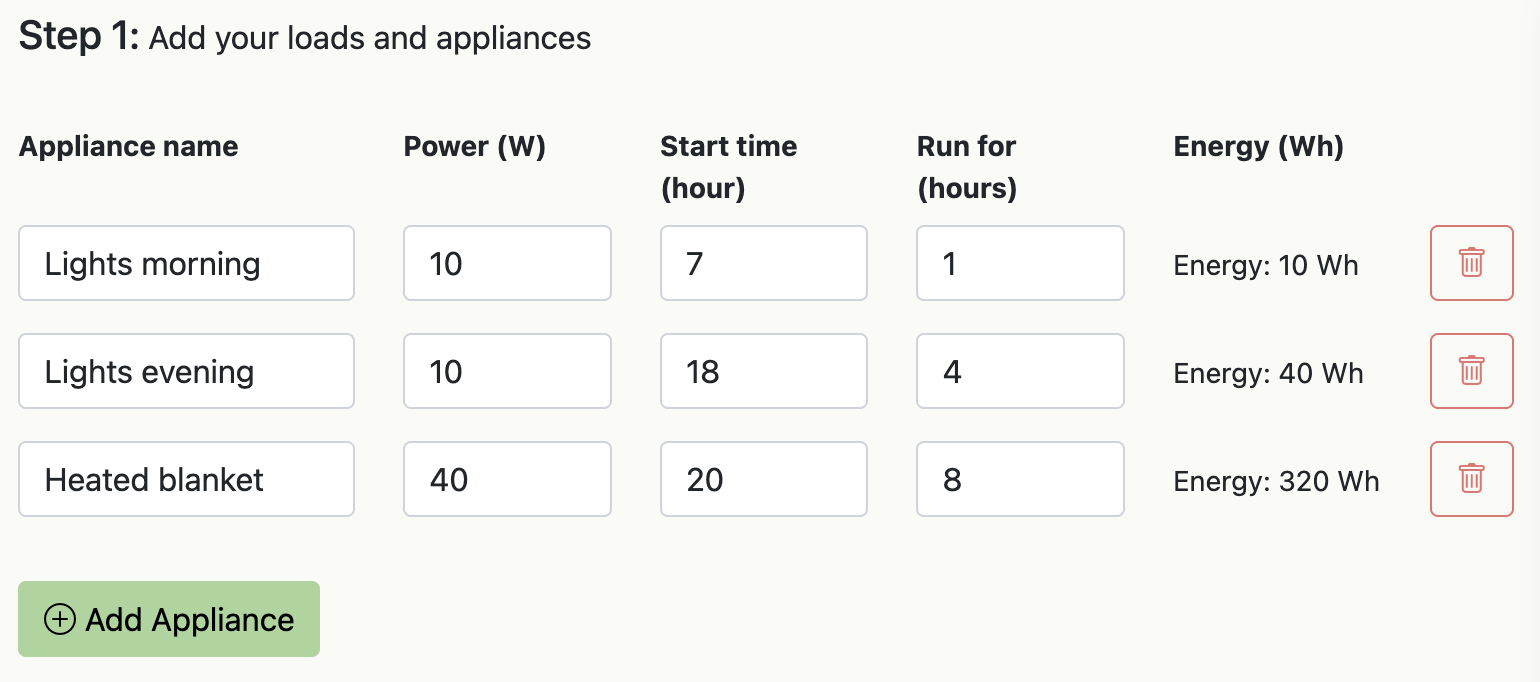
Appliances (Loads): add each appliance or load you plan to run. For each line:
- Appliance name: to identify the load.
- Power (W): the power the appliance draws while running. The tool assumes this power is constant during the run window.
- Start time (h): 24‑hour clock start time (e.g. 4 for 4am, 18 for 6pm).
- Run for (h): duration in hours.
- Delete: remove a load line. Use the plus button to add more.
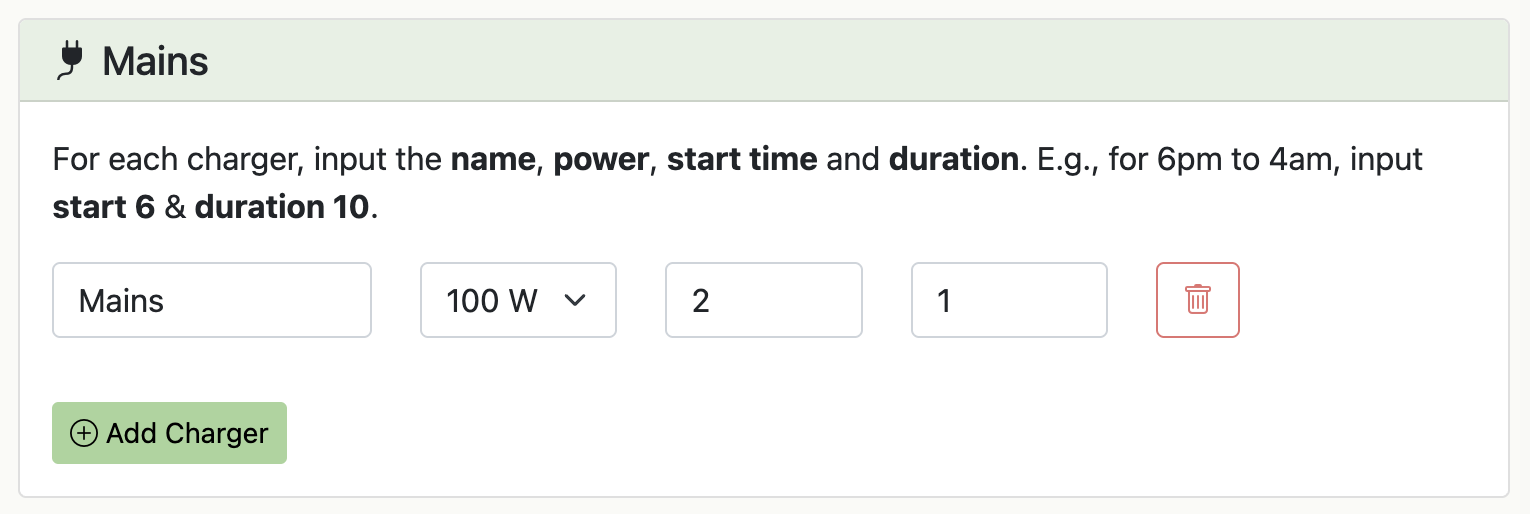
Charging: enable solar and/or mains charging.
- Solar: enabling solar reveals location inputs and a small map. Set latitude/longitude or click on the map. The location must be on land.
- Mains: enable if you can periodically recharge from the grid or a generator.
Auto Calculation: calculations are done automatically when you make any change - no need to click a button.
Outputs & Graph
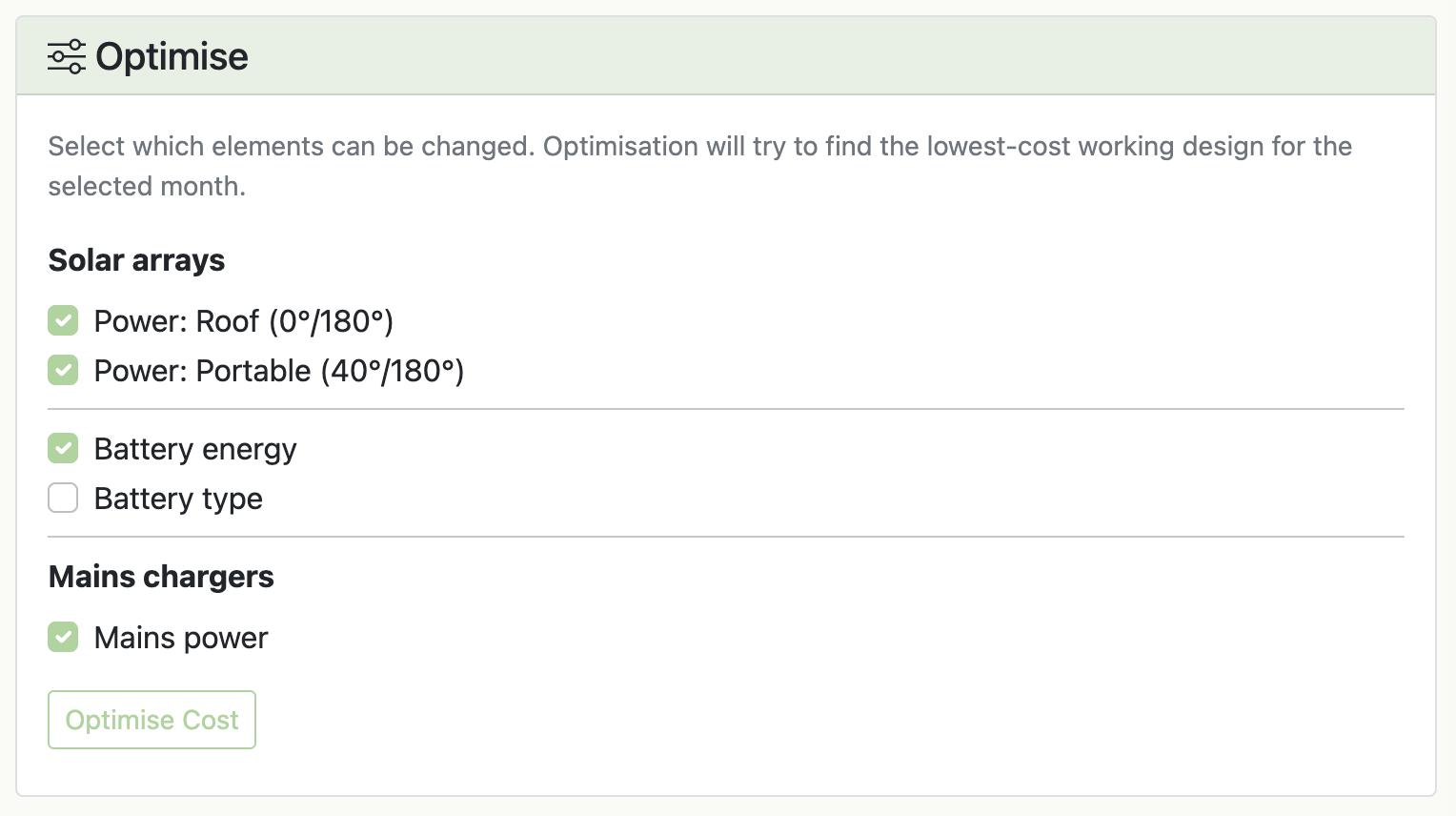
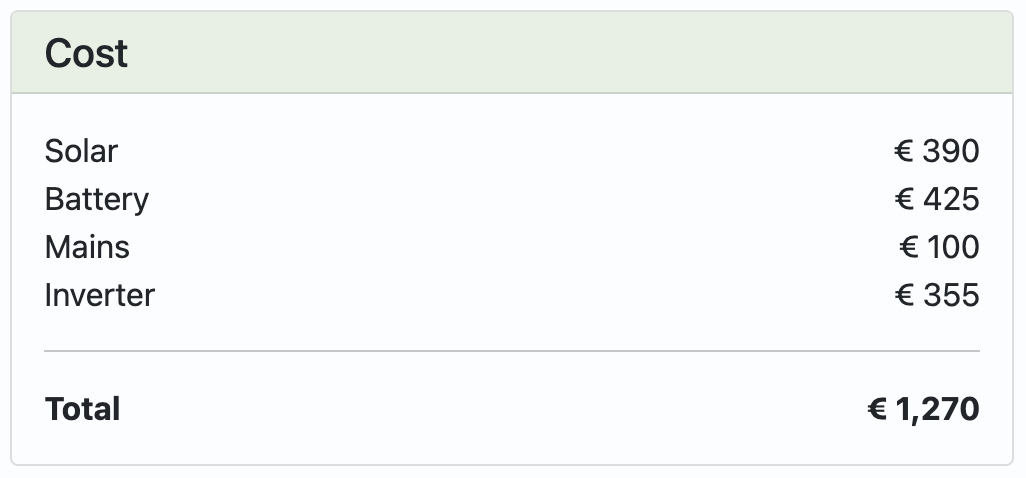
After calculating, the page shows suggested sizes and a time‑series graph:
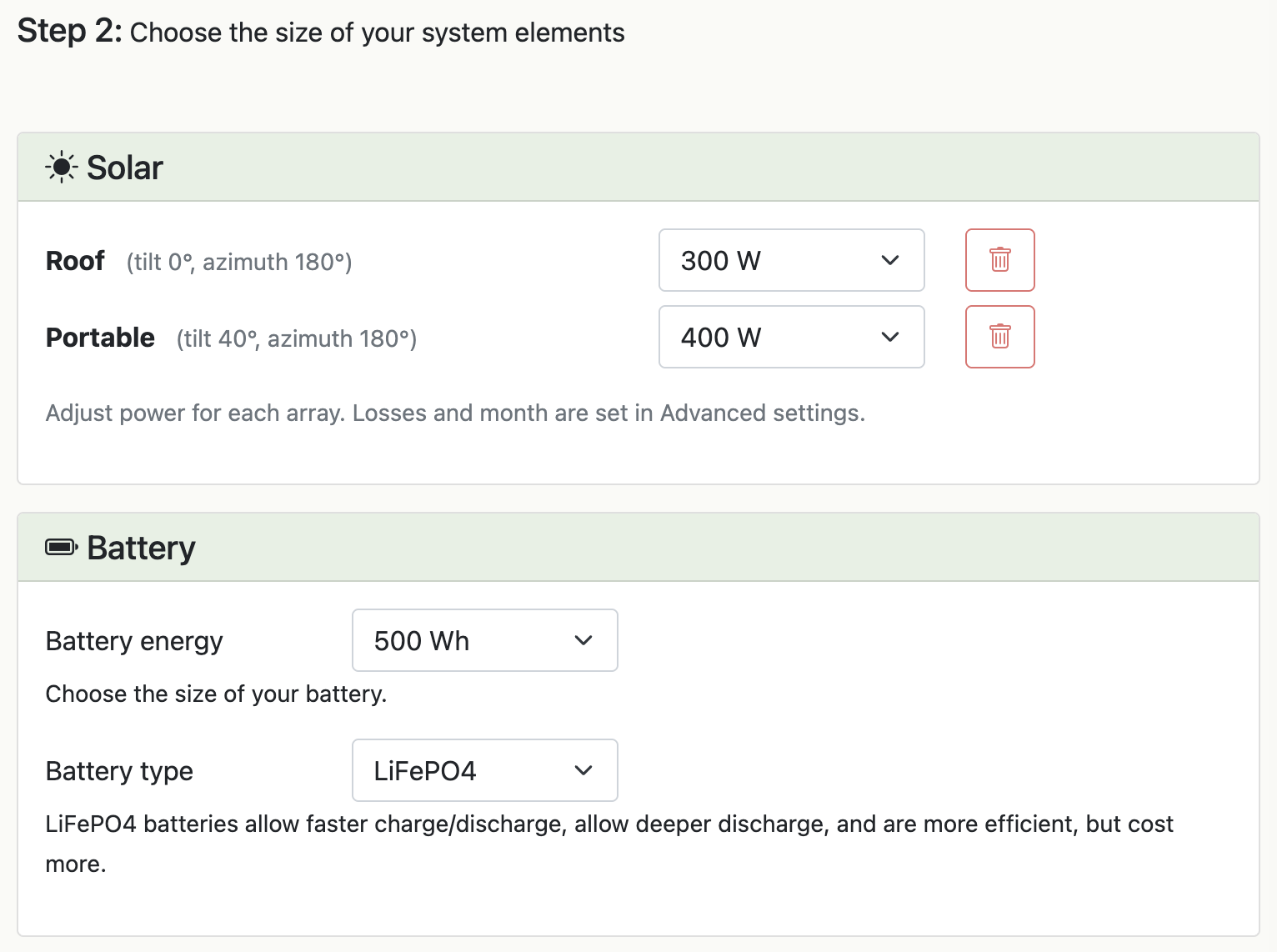
- Solar: suggested nominal array power for your location. Increasing this speeds up daytime recharge.
- Battery: suggested battery capacity. Larger batteries store more energy for poor‑sun or off‑mains periods.
- Inverter: suggested inverter size for peak AC usage. This affects cost but not energy balance.
- Mains charger: suggested charger power, affecting how quickly you can recharge from mains.
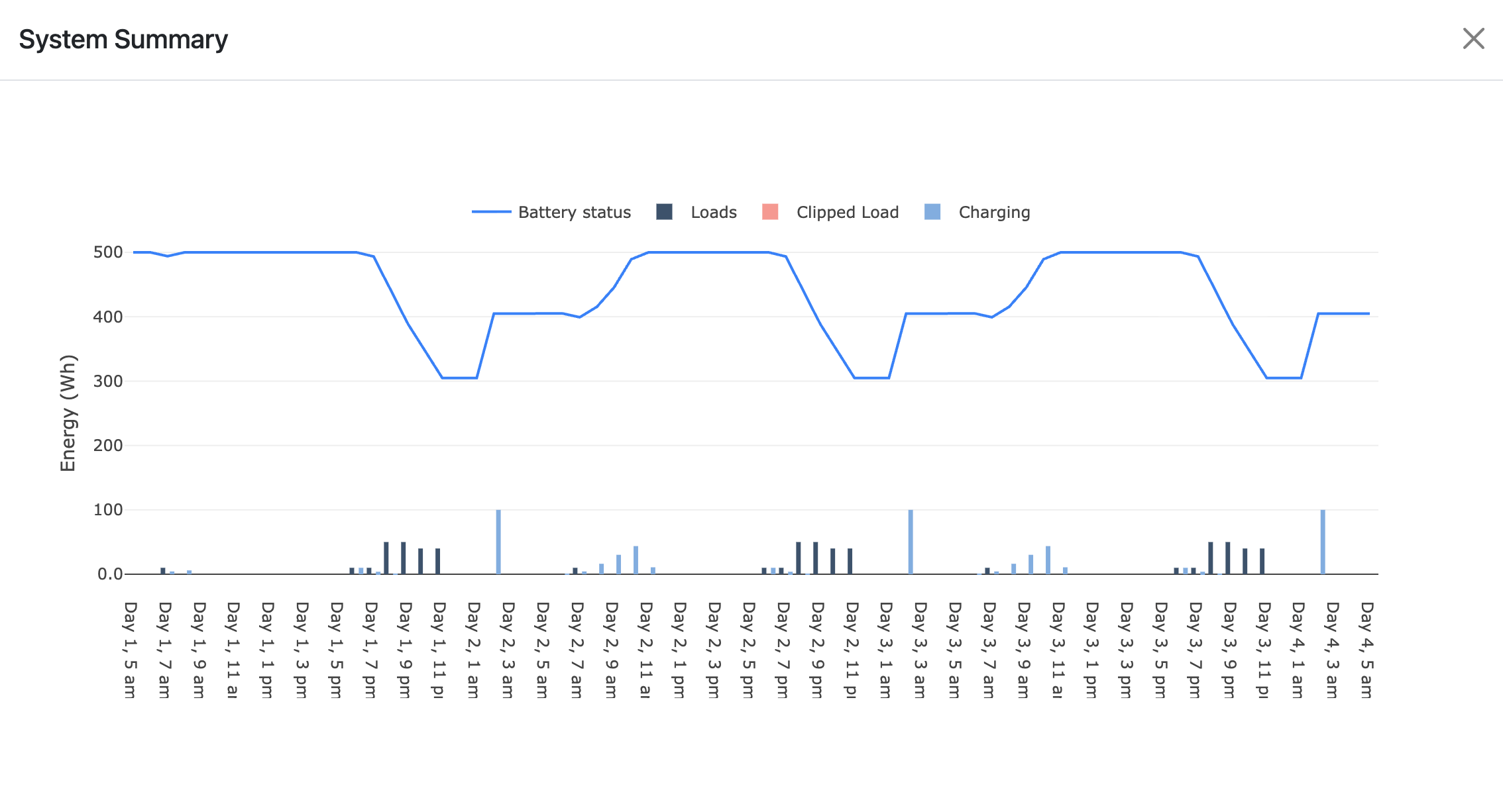
The graph includes:
- Battery status: energy stored in the battery over time.
- Loads: energy used in each interval.
- Clipped load: demand that could not be met due to low battery charge.
- Charging: energy provided by solar and/or mains chargers.
Solar Array Designer
Once your system requirements are clear, use the Solar Array Designer to pick a safe, efficient panel/controller configuration.
- Inputs: required array power, system voltage, and minimum temperature.
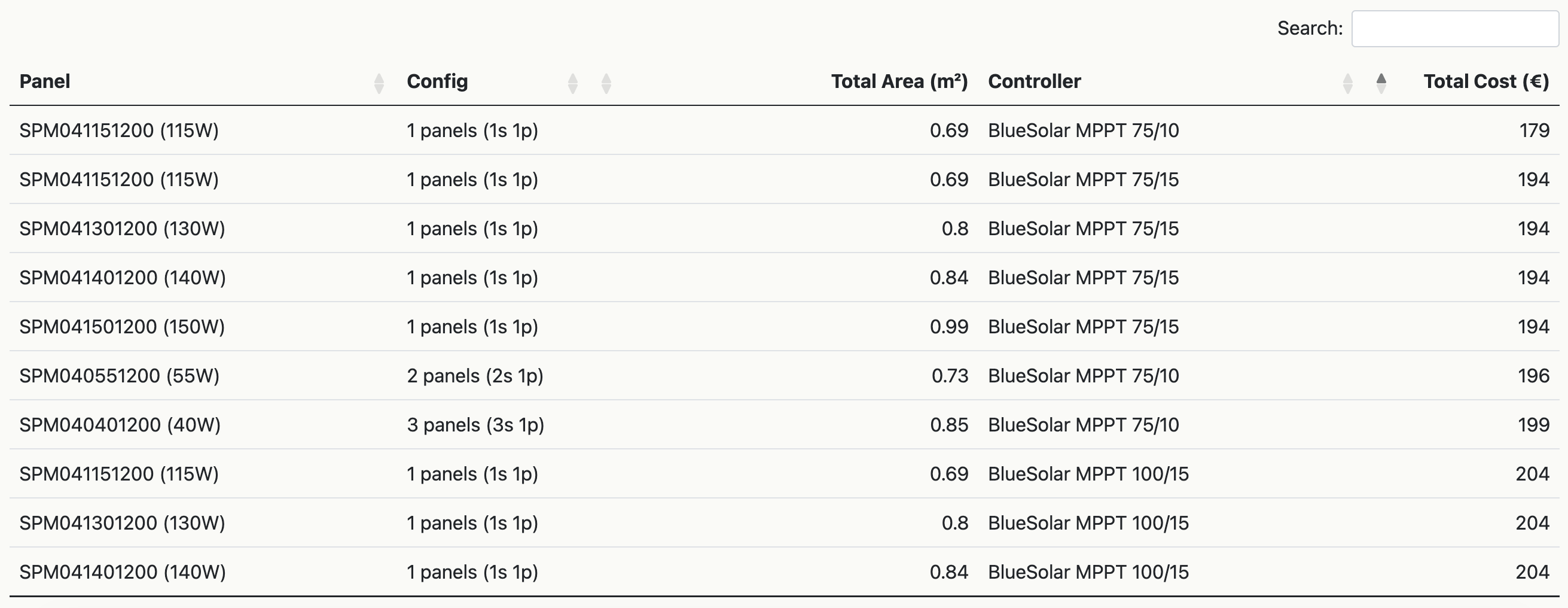
- Options table: generated string layouts and compatible MPPT/controller choices.
- Interact: sort the table, then click a row to select.
- Save: hit “Save Design” to store your selection with the system.